DEVICES -> BUTTON -> OLDER DEVICES
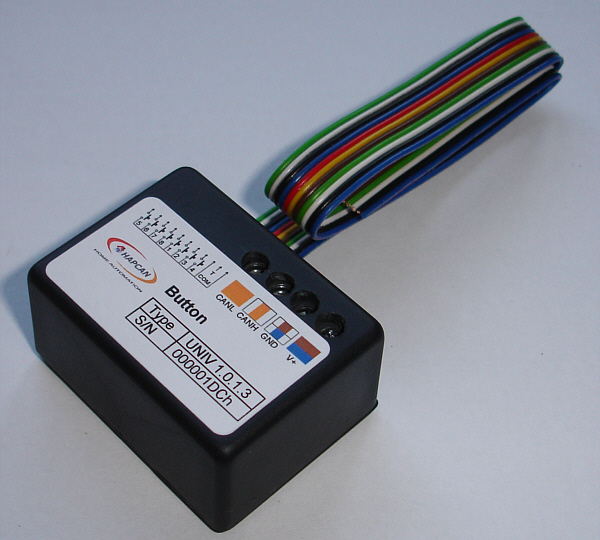
It is a digital input node. Can be connected to any voltage free contacts type open/closed e.g. button, thermostat etc. The node sends message to the bus saying which input was closed.
|
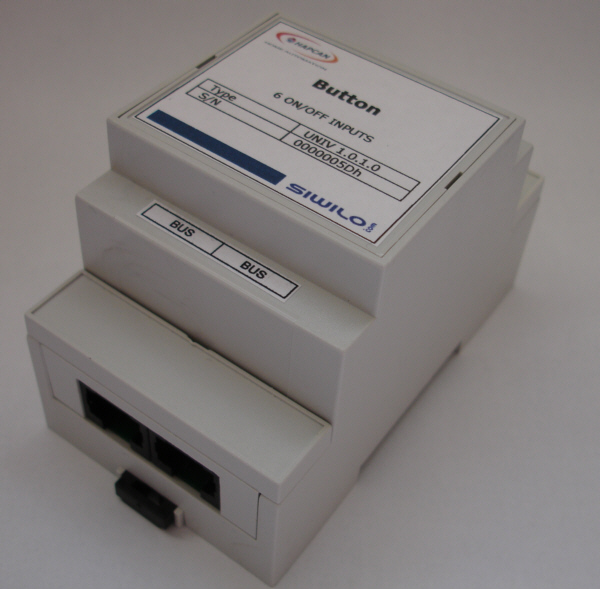
BUTTON 6-channel for DIN rail
|
· 6 channel button module. Up to 6 buttons with free voltage contacts can be connected to the module such as switches, thermostats, PIRs, programmable timers etc. · Operation voltage 10-24V · Current consumption 14mA · Module sends message when button is pressed and another when it is released · There is a 20ms reaction time.
|
|||||||||
· Module sends message when button is pressed and another when is released · There is a 20ms reaction time. Button has to be pressed for at least 20ms to send a message. It avoids contacts bouncing.
|
||||||||||
· 7 types of button behaving can be chosen: button pressed, released, pressed and held for 400ms, pressed and held for 4s, pressed and released within 400ms, pressed and released between 400ms and 4s, pressed and released after 4s. · There is a 20ms reaction time. Button has to be pressed for at least 20ms to send a message. It avoids contacts bouncing. · Allows writing notes in the processor memory · Uptime counting · Self-health check · Receive and transmit FIFO buffers for CAN
|


|
BUTTON 6-channel for box
|
· 6 channel button module. Up to 6 buttons with free voltage contacts can be connected to the module · Possibility to connect 6 LEDs to indicate status of other nodes · Operation voltage 10-24V · Current consumption 50mA · For back box mounting · Dimensions 43x32x22 mm
|
|||||||||
· Module sends message when button is pressed and another when is released · Allows to control LEDs by local buttons · 3 control instructions · 3 blocking instructions · There is a 20ms reaction time. Button has to be pressed for at least 20ms to send a message. It avoids contacts bouncing. · Allows to set up 128 conditions for receiving bus messages
|
||||||||||
· 6 channel button module. Up to 6 buttons with free voltage contacts can be connected to the module · There is a 20ms reaction time. Button has to be pressed for at least 20ms to send a message. It avoids contacts bouncing. · 6 LEDs can be connected to indicate status of other devices on the network. · 3 control instructions for LEDs (On, Off, Toggle) · 3 blocking instructions · Up to 96 conditions for receiving bus messages can be set to control LEDs. · Self-control feature – pressed button can control LEDs in the same module · Allows writing notes in the processor memory · Uptime counting · Self-health check · Receive and transmit FIFO buffers for CAN
|
|
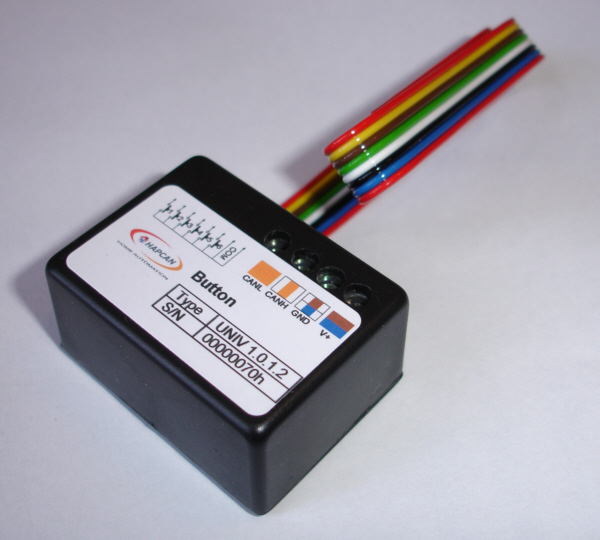
BUTTON 8-channel for box
|
· 8 channel button module. Up to 8 buttons with free voltage contacts can be connected to the module · Possibility to connect 8 LEDs to indicate status of other nodes · Operation voltage 10-24V · Current consumption 60mA · For back box mounting · Dimensions 43x32x22 mm
|
|||||||||
· 8 channel button module. Up to 8 buttons with free voltage contacts can be connected to the module · There is a 20ms reaction time. Button has to be pressed for at least 20ms to send a message. It avoids contacts bouncing. · 8 LEDs can be connected to indicate status of other devices on the network. · 3 control instructions for LEDs (On, Off, Toggle) · 3 blocking instructions · Up to 96 conditions for receiving bus messages can be set to control LEDs. · Self-control feature – pressed button can control LEDs in the same module · Allows writing notes in the processor memory · Uptime counting · Self-health check · Receive and transmit FIFO buffers for CAN
|
||||||||||
· 8 channel button module. Up to 8 buttons with free voltage contacts can be connected to the module · 7 types of button behaving can be chosen: button pressed, released, pressed and held for 400ms, pressed and held for 4s, pressed and released within 400ms, pressed and released between 400ms and 4s, pressed and released after 4s. · There is a 20ms reaction time. Button has to be pressed for at least 20ms to send a message. It avoids contacts bouncing. · 8 LEDs can be connected to indicate status of other devices on the network. · Works witch temperature sensor connected with thermostat functions. · 3 control instructions for LEDs (On, Off, Toggle) · 3 thermostat control instructions (Set temp to, Decrement temp, Increment temp) · 3 blocking instructions · Up to 96 conditions for receiving bus messages can be set to control LEDs. · Self-control feature – pressed button can control LEDs in the same module · Allows writing notes in the processor memory · Uptime counting · Self-health check · Receive and transmit FIFO buffers for CAN
|